

How to Choose a Queue Management System: 2026 Buyer's Guide
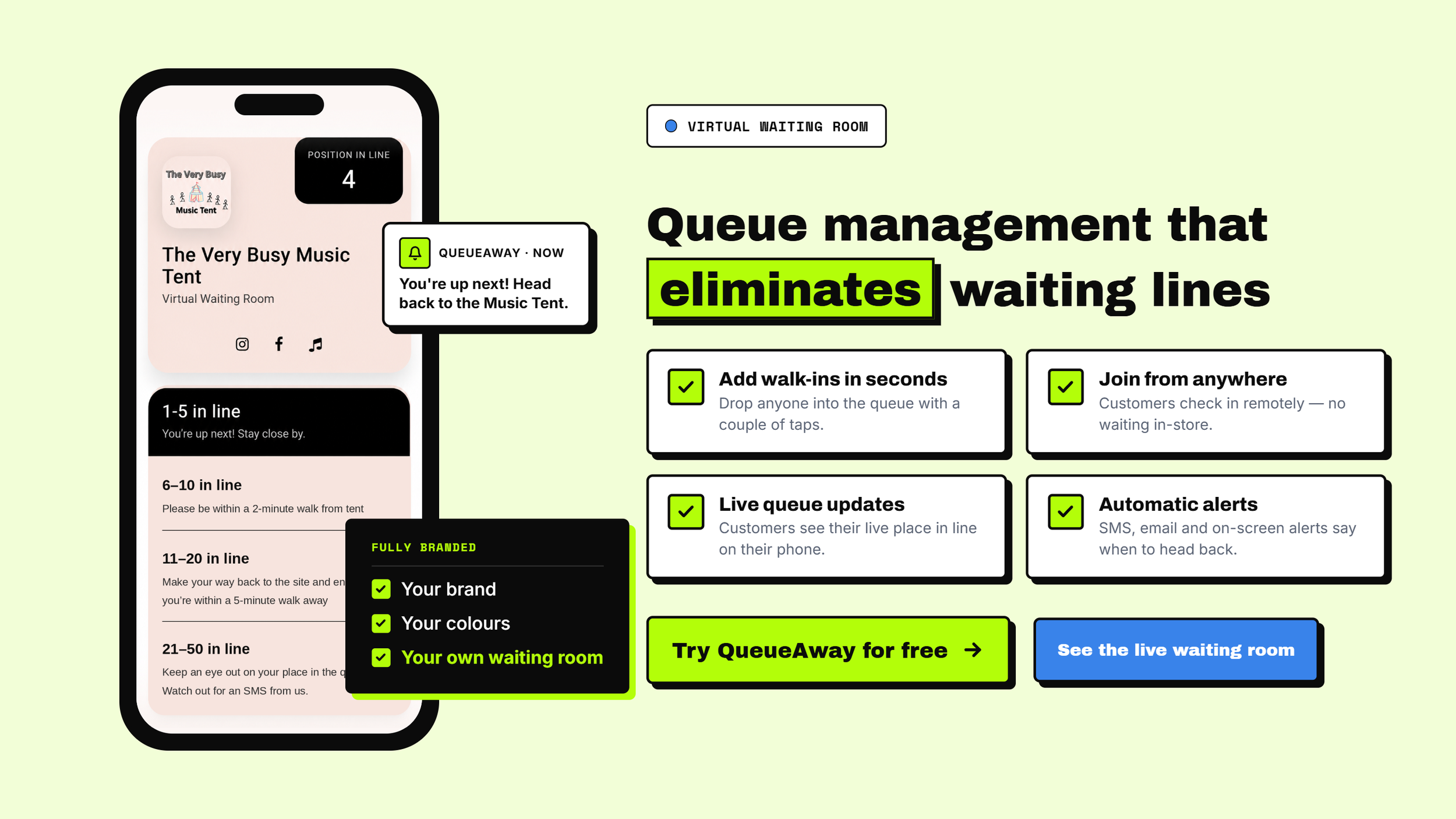
Most queue management buying guides read like they were written by the software company trying to sell you one. This one's written by someone who ran a barbershop through a Saturday walk-in rush with a paper list and a Sharpie — so it starts from the actual problem, not the feature list.
The problem queue software is supposed to solve
If customers are standing in your doorway, calling to ask "how long's the wait," or leaving because the queue looked too long, you don't have a staffing problem — you have a visibility problem. A queue management system doesn't make your team faster. It gives customers an accurate wait time, frees them to wait somewhere other than your doorway, and gives you a live picture of how the day's actually going.
That's the entire job. Everything else — SMS alerts, analytics dashboards, booking integrations — is in service of that one job. Which is exactly where most buying decisions go wrong: teams pick a system based on a features list, not on whether it solves their specific bottleneck.
Queue software isn't one thing — know which type you're actually looking for
"Queue management system" covers a few genuinely different formats, and searching for one without knowing which you need is how people end up buying the wrong tool:
- A queue app (sometimes called a "virtual queue app") — customers join remotely from their phone via a link or QR code, and get updates without needing to download anything. This is what most walk-in businesses actually want.
- Kiosk/ticket-based systems — the classic "take a number" printer. Digital, but doesn't remove anyone from your doorway, since customers still have to be physically present to take a ticket.
- SMS-only systems — no app, just text updates. Simple, but limited on features like live queue position or rebooking.
- Call-centre / call-queue platforms — a different category entirely, for managing phone hold queues rather than physical or virtual walk-in lines. If that's what you searched for, most of this guide won't apply to you.
For walk-in-heavy businesses — barbershops, retail, clinics, hospitality — a proper queue app almost always outperforms the kiosk or SMS-only route, because it's the only format that actually gets people out of your doorway while they wait.
What to actually look for
Virtual, not just digital. A ticket printer is "digital" but doesn't remove anyone from your doorway. Look for systems that let customers join a queue remotely — from a QR code, a link, or an app — and get updates on their phone.
Realistic wait-time estimates. A system that says "12 minutes" and is wrong half the time trains customers to ignore it. Ask any vendor how their estimate is calculated — averaged historical service time is a reasonable baseline; a flat number per position in line usually isn't.
No-show handling. Walk-in queues lose people who join, wander off, and don't come back when called. A system that automatically re-queues or times out a no-show protects the people actually waiting.
Multi-location support, if you have more than one site — a single dashboard beats logging into separate tools per location.
Setup time. If a vendor's onboarding takes weeks, that's a signal about the rest of the product. QueueAway's plans, for example, are built to be running the same day — no hardware, no integration project, from £14.99/month.
Pricing transparency. Watch for systems that quote a "custom" price only after a sales call — it's usually a sign the real price scales with usage in ways that aren't obvious upfront.
Ready to stop the doorway queue?
QueueAway gets walk-ins off their feet and onto their phones — live wait times, automatic no-show handling, no extra hardware.
Questions worth asking any vendor before you sign up
- What happens when a customer's phone dies or they don't have one?
- How does the system handle a sudden rush — does the wait-time estimate hold up?
- Can staff override or reorder the queue manually when something unusual happens?
- Is there a free trial, or do you have to commit before seeing it handle a real day?
Who actually needs this
Queue management software earns its keep anywhere people show up without a fixed appointment time: barbershops and salons, retail stores, healthcare and clinic waiting rooms, hospitality venues, and events. If your business runs on appointments only, most of this doesn't apply — the problem it solves is specifically the unpredictable walk-in.
Where QueueAway fits
QueueAway was built out of exactly the problem above — managing walk-in chaos at a barbershop, not in a lab. It's a virtual queue app: customers join remotely, get live wait-time estimates, and no-shows are handled automatically, with multi-location dashboards if you need them. Plans start at £14.99/month, no hardware required. See how it works or try the free demo.
Frequently asked questions
What's the difference between a queue app and a queue management system?
"Queue management system" is the umbrella term. A queue app is one format of it — the one where customers join remotely from their phone rather than taking a physical ticket or number.
How much does queue management software cost?
Pricing varies widely by vendor and scale. QueueAway's plans start at £14.99/month for single-location use, rising to £19.99/month for additional features — with no setup fees or hardware costs.
Do I need an app, or is SMS enough?
SMS-only systems work for basic wait-time alerts, but lack live queue position, rebooking, or no-show handling. If your walk-ins are unpredictable, a full queue app gives you more control.
What should I look for when comparing queue management systems?
Realistic wait-time estimates, automatic no-show handling, multi-location support if you need it, transparent pricing, and same-day setup rather than a multi-week onboarding process.
Is queue management software worth it for a single-location business?
Yes, if walk-ins are unpredictable enough that customers are waiting in your doorway or leaving before being seen. If your business runs entirely on booked appointments, the case is weaker.
See how it handles a real day.
Try QueueAway free — no card required, set up in minutes.