

Virtual Queue Management System: How a Virtual Queue App Works
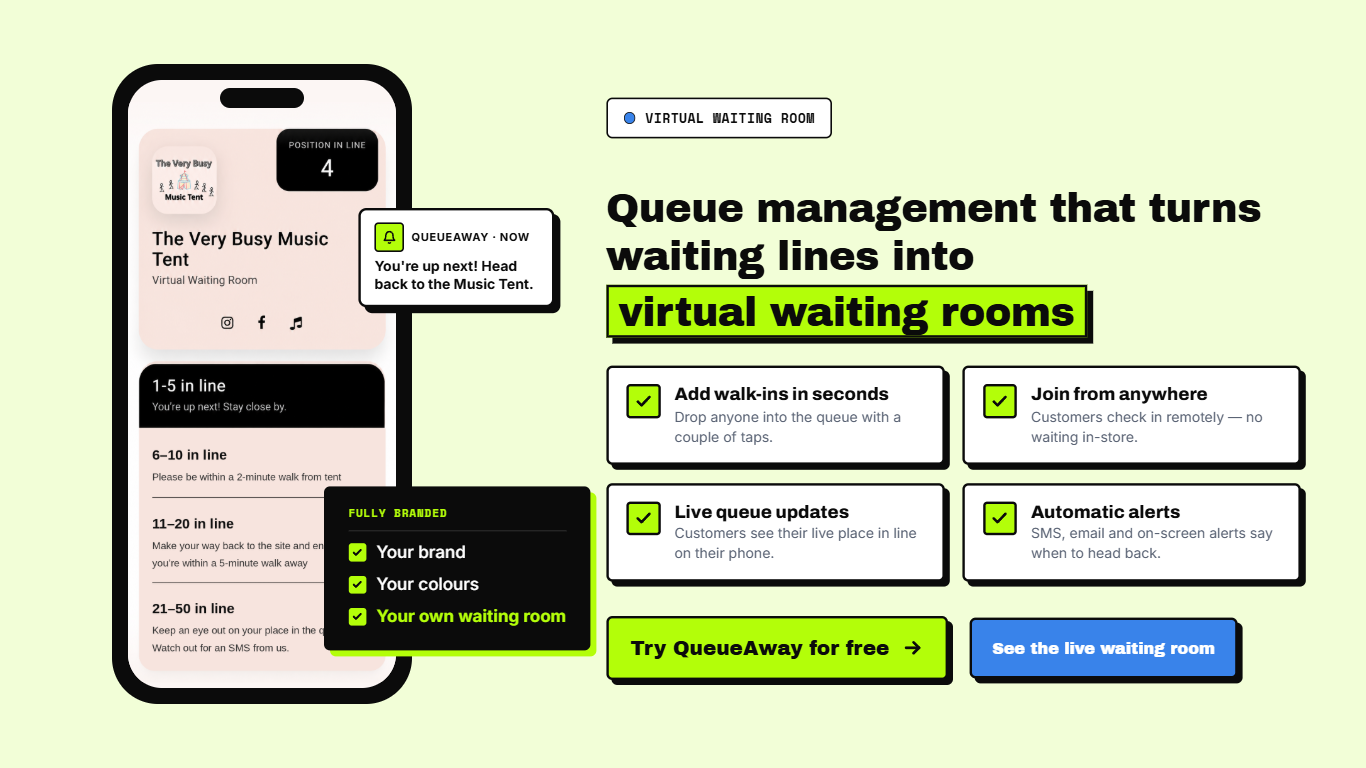
A virtual queue management system lets customers join a line from their phone and wait anywhere, instead of standing in a physical queue. They scan a QR code or tap a link, watch their place move in real time, and get a message when it is nearly their turn. Staff run the whole queue from one dashboard.
A virtual queue app is the customer-facing half of that system: the page customers use to join and track their place. This guide covers how virtual queuing works, who uses it, what to look for in virtual queue software, and how it differs from online booking. For the bigger picture, see what a queue management system is and the three types of queuing systems.
What is a virtual queue management system?
A virtual queue management system (also called a virtual queuing system, digital queue management system, virtual line or virtual waitlist) replaces the physical waiting line with a digital one. Customers join remotely and keep their place. The business sees everyone waiting in one live list and calls people when service is ready.
It solves a specific problem: walk-in demand you cannot predict. Booking tools handle scheduled visits; a virtual queue handles whoever turns up, whenever they turn up. It is one part of a full queue management system.
How does a virtual queue app work?
- Customers join. They scan a QR code, tap a link or visit a web page on their phone. No app download is needed.
- They track their place. Position and estimated wait update in real time.
- They get notified. A message arrives when their turn is approaching, so they can wait anywhere.
- Staff call the next customer. The team manages everyone from one dashboard.
See it in action with a live queue example or read how QueueAway works step by step.
Virtual queue vs physical queue
| Physical queue | Virtual queue | |
|---|---|---|
| Where customers wait | On site, in the line | Anywhere, then arrive when called |
| Wait visibility | Often unclear | Live position and estimated wait |
| Long-line walk-aways | Customers leave when the line looks long | Customers keep their place and can step away |
| Staff effort | Managing the line by eye | One dashboard for the whole queue |
| Equipment | Barriers, tickets or clipboards | Customers’ own phones; no hardware |
Virtual queuing vs online booking
Online booking fixes a time in advance. Virtual queuing handles live demand without a fixed slot, which suits businesses with unpredictable footfall. Most busy walk-in businesses end up using both, and the balance matters: see walk-ins vs appointments for how barbershops weigh it.
Who uses virtual queue software?
Want the data behind long waits? See our healthcare waiting room statistics, retail queue statistics and hospitality queue statistics.
Ready to stop customers waiting in line?
QueueAway puts walk-ins on their phones with live wait times and automatic updates. Set up in under 30 minutes, with no hardware.
Free 14-day trial. No credit card needed.What to look for in virtual queue software
- Easy joining. A QR code or link, with no customer app to install.
- Real-time updates. Live position, estimated wait and an alert when it is nearly their turn.
- A simple staff dashboard. Call next, hold, remove, and see who is waiting at a glance.
- Analytics. Peak times and wait times, so you can staff to demand.
- Scalability. Works for one site or many.
- Quick setup and clear pricing. No hardware and no long contracts to get started.
Comparing options? Our guide on how to choose a queue management system walks through the decision.
How to roll out virtual queuing
- Pick the entry points. A QR code at the door, a link on your website and your Google Business Profile.
- Brief your team. Staff should know how to call the next customer and handle people who arrive without joining.
- Signpost it. Clear signage at the entrance explains how to join in a few seconds.
- Review the data. Use peak-hour and wait-time data to adjust staffing.
How much does virtual queue software cost?
Cost depends on the number of locations, features and support level. Some tools charge per location or per user; others use flat monthly plans. See QueueAway pricing for current plans, or start with the free 14-day trial. No credit card is needed.
Why businesses choose QueueAway
- Built by a barbershop owner. QueueAway grew out of ManCave Barbershop, where founder Paul Harnett needed a fix for the walk-in rush.
- Nothing for customers to download. They join from a link or QR code on their own phone.
- Quick to start. Set up in under 30 minutes, with no hardware.
- Cloud-based. Works across multiple locations and industries.
Give your customers a better way to wait
Replace the physical line with a virtual queue your customers will actually use.
Free 14-day trial. No credit card needed.Frequently asked questions about virtual queue apps
What is a virtual queue app used for?
A virtual queue app lets customers join a line remotely instead of waiting on site. Businesses use it to cut crowding in waiting areas, keep walk-in customers from leaving, and manage busy periods without staff having to police a physical line.
How do virtual queues work?
Virtual queueing (also spelled virtual queuing) works like this: customers join by scanning a QR code or tapping a link, then see their place in the queue and an estimated wait in real time. They get a message when their turn is close, so they can wait anywhere and arrive just in time.
What is the difference between virtual queuing and online booking?
Online booking is for scheduled appointments at a fixed time. Virtual queuing manages walk-ins and live demand, so customers can join in real time without committing to a time slot. Many businesses use both.
Do customers need to download an app to join a virtual queue?
No. With QueueAway, customers join from their phone's browser using a link or QR code, so there is nothing to download.
Is a virtual queue the same as a virtual waiting room?
They describe the same idea: customers check in remotely and wait somewhere else until they are called. Virtual waiting room is more common in healthcare and for online traffic spikes, while virtual queue is the usual term for walk-in businesses.
Is virtual queue software suitable for small businesses?
Yes. It needs no special hardware, so it suits a single-location barbershop or café as well as multi-site retail and healthcare. Look for flexible monthly pricing and quick setup.